Every account in its own window

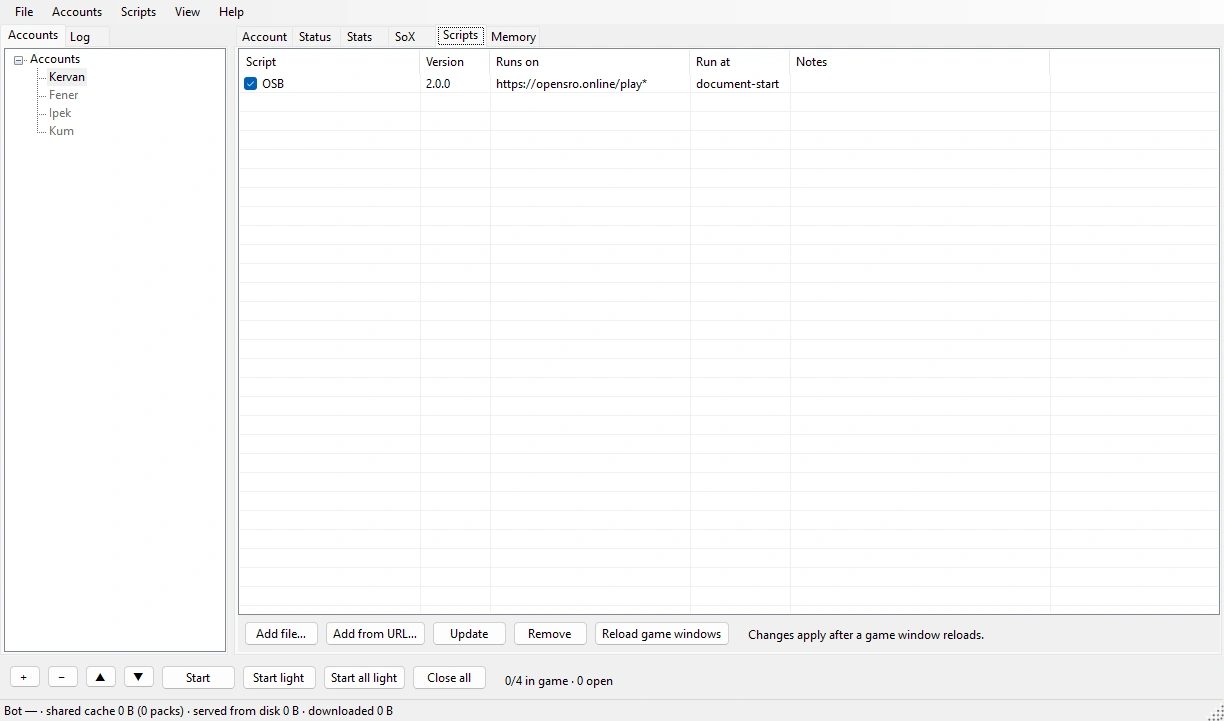
OSB Manager is a desktop app that opens several OpenSRO accounts side by side. Each account opens in its own browser profile, so their sessions stay apart. You add OSB in the Scripts tab.

The windows

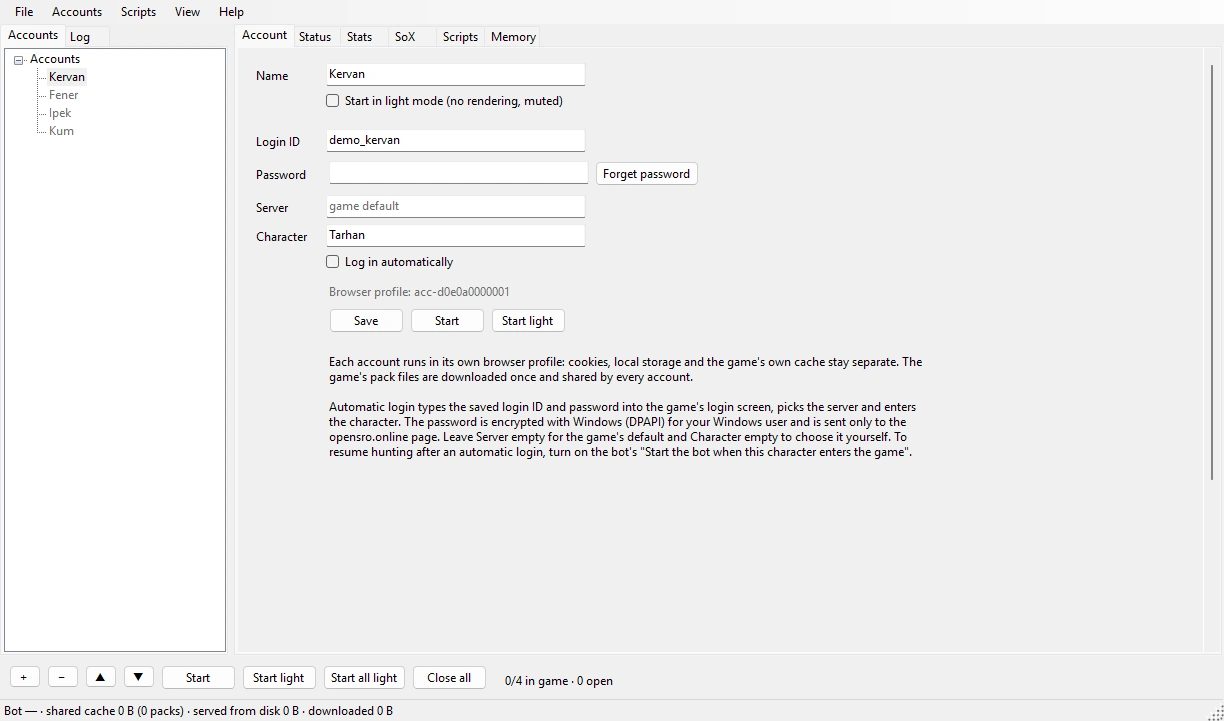
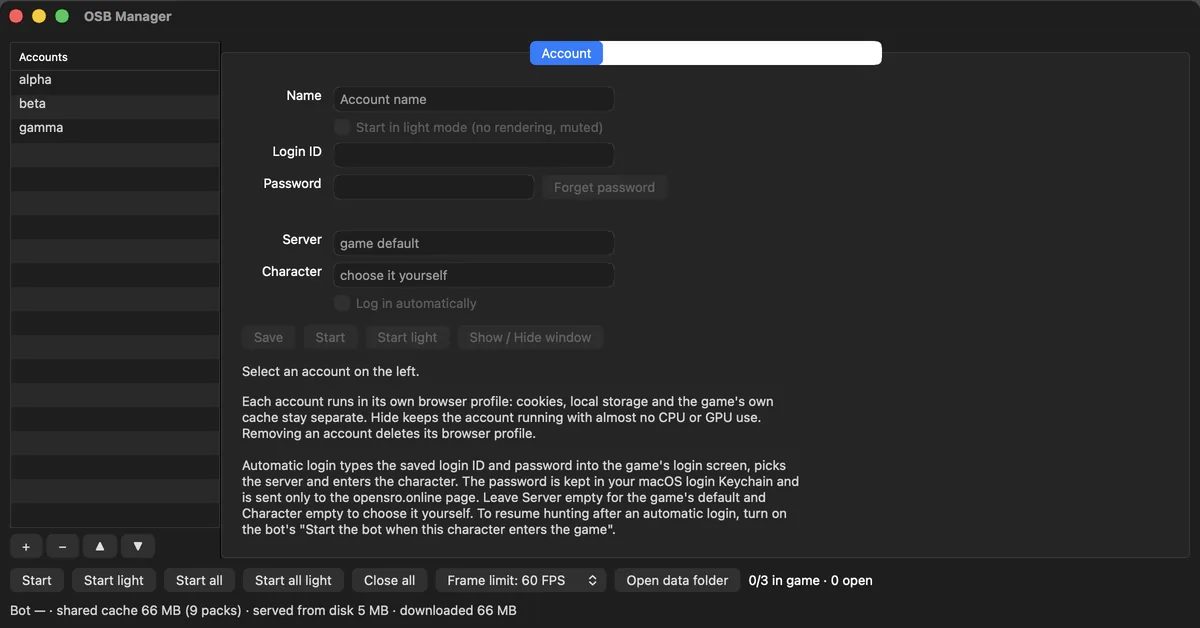
OSB Manager on Windows, Account tab: login ID, password, server, character and auto login.
The Account tab, Windows 11. Login ID, server and character. Account and character names are examples.

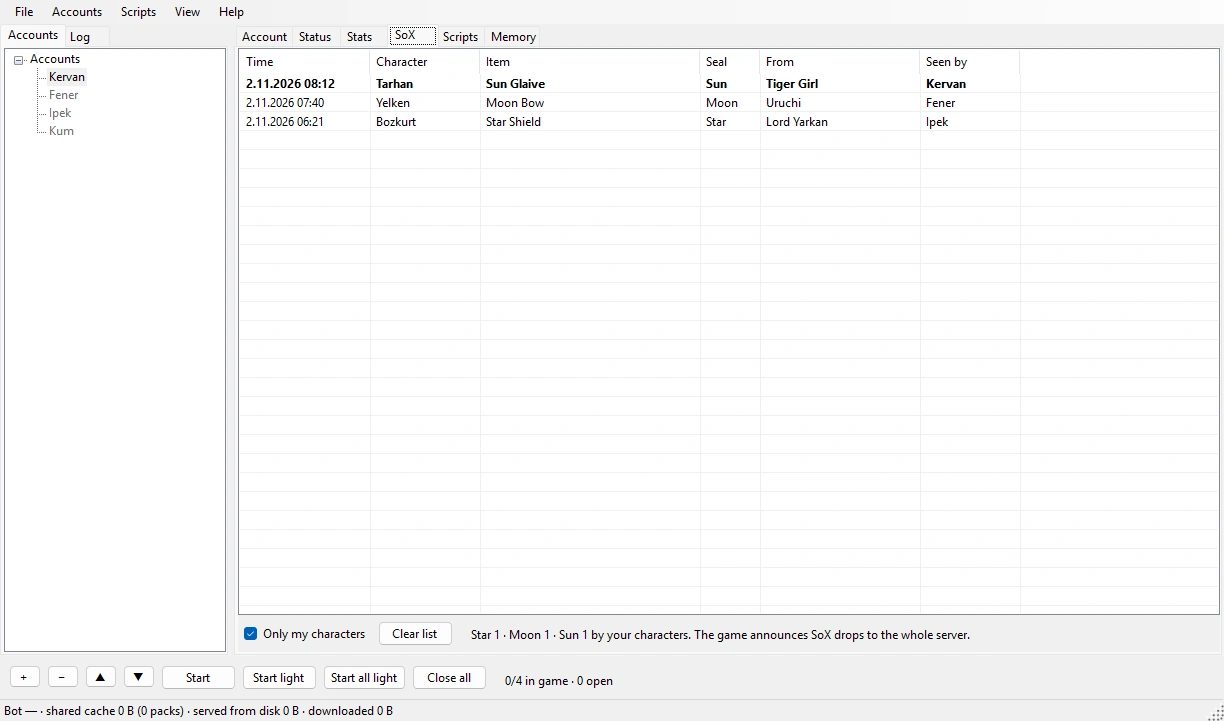
Star, Moon and Sun drops announced on the server land in the SoX tab as one row each. An example row:

TimeCharacterItemSealFromSeen by
TarhanSealed glaiveSunBandit sergeantKervan
Auto login
It goes through the login screen and picks the server and the character. The password is encrypted with DPAPI on Windows and kept in the Keychain on macOS. It is sent at most 3 times in 10 minutes, and only while opensro.online is open.
Hidden windows
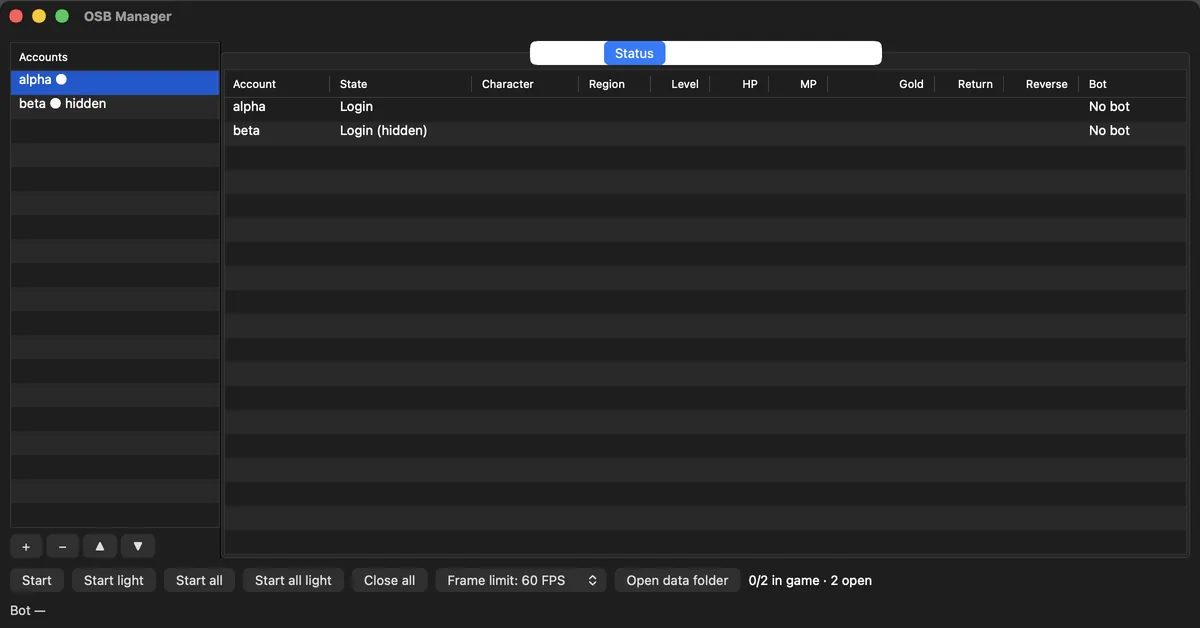
A hidden account keeps running but draws nothing on screen.
Light mode
Stops drawing and mutes the window. Start all light opens the accounts one at a time, 15 seconds apart.
Stats and SoX
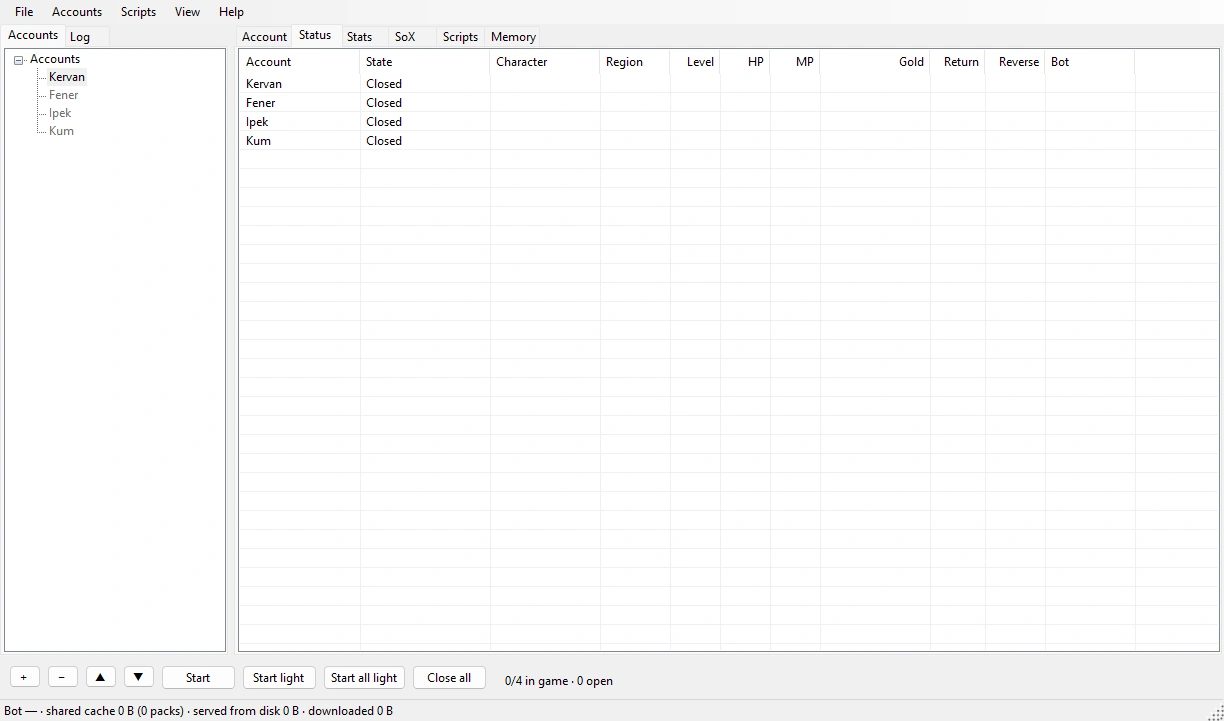
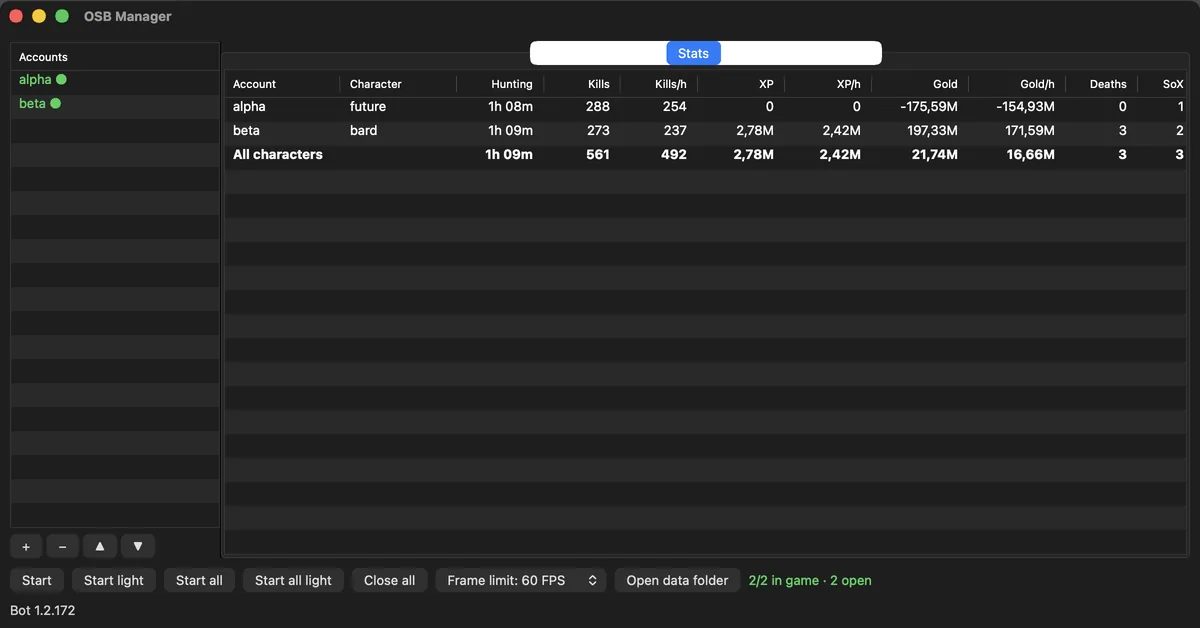
The Stats tab adds up kills, XP, gold and deaths for every account in one table. The SoX tab lists the Star, Moon and Sun drops announced on the server.
Shared game files
The game's pack files are downloaded once and the other accounts read them from the same cache.
Memory tab (Windows)
The Memory tab shows how much memory each game window uses. View › Low memory when a window is minimised is off by default: a test with OSB hunting did not show it to be safe.
Measurements
WhatResultWhere
One window, 60 FPS limit58% of one core; 134% without the limitWindows, 200 Hz display, title screen
Minimised window0% CPUWindows, title screen; the game and the bot keep running
Minimised window in the game world, OSB hunting45% of one core, 2.4 GB of RAM; visible 196% and 3.2 GBOSB Manager 1.0.0, Windows, one account, mean of 20 minutes each
One account in the game world, light modeHidden 0.50 cores; visible 0.59OSB Manager 1.0.0, macOS, M1 MacBook Pro
Second account reaching the login screen10.8–14.0 s; 18.8–24.1 s without the cacheShared cache on, macOS 26.5, M1 MacBook Pro

Each row was measured on one machine; yours may differ. All measurements and their conditions

What a hidden window costs

Every account in the game world uses CPU because of the game's own work. The Manager cuts that by turning drawing off. These numbers were measured; each row gives the conditions.

Windows
CaseMeasuredConditions
One window, no FPS limit134%Title screen, 200 Hz display, percent of one core
Same window, 60 FPS limit58%Same conditions
Minimised window0%CPU on the title screen
Light mode, working set860 → 290 MBTitle screen, approximate
Graphics memory≈0.8 GBPer window, measured with six windows. Light mode and minimising do not free it
macOS 1.0.0
CaseMeasuredConditions
Visible, light mode0.59 coresIn the game world
Hidden, light mode0.50 coresIn the game world
Renderer of one hidden window7–9%Title screen, 60 Hz

The FPS limit can be 30, 60, 120 or none; the default is 60.

Auto login

  1. About 8 seconds after the game opens it moves on to the login screen.
  2. It picks the server, types the login ID and password, and connects.
  3. It enters the character you named in the Account tab. It does not enter a character waiting for deletion.
  4. With the Character field empty it stops and leaves the choice to you.
  5. After two failed tries it shows Auto login stopped and waits.

For hunting to start by itself after the login, turn on Start the bot when this character enters the game under Settings › Behaviour in OSB.

The password

  • Windows: encrypted with DPAPI for that Windows user. Another user or another PC cannot decrypt it.
  • macOS: in the login Keychain, readable only while the Mac is unlocked and only on that Mac.
  • It is never written in plain text to a file or to the log.
  • It is sent at most 3 times in 10 minutes and at least 15 seconds apart, only while the window shows https://opensro.online/ and the page asks for it.
  • The window's own password saving and autofill are off.

Stats and SoX

Stats

The Stats tab shows Account, Character, Hunting, Kills, Kills/h, XP, XP/h, Gold, Gold/h, Deaths and SoX for every account. The All characters row gives the longest session and the summed hourly rates. Hourly values appear after 30 seconds. The numbers come from what OSB reports; without OSB in that window, only the page state shows.

SoX

The SoX tab collects the Star, Moon and Sun drops announced on the server from chat lines and the Sun banner: time, character, item, seal, monster and which window saw it. Repeats within two minutes are kept once. Only my characters shows yours only. Up to 1000 entries are kept.

Shared game cache

The game's pack files are downloaded once and the other accounts read them from the same cache. A completed pack is checked with SHA-256. Requests the cache cannot answer go to the game's server as usual.

MeasurementValueNote
Downloaded by one account up to the login screen≈65 MB9–10 packs
Second account at the login screen, with the cache10.8–14.0 sWithout it 18.8–24.1 s
Downloaded with a warm cache0For the same packs
Three windows opened at once71 ranges, each onceMemory 12–15% higher

Measured on macOS, on the title screen. The cache saves downloads and time, not disk space. It was not measured in the game world with all 2 GB of packs. On macOS you can turn it off under View › Share game files between accounts; it is on by default.

Requirements and limits

Windows

  • Windows 10 or 11.
  • Microsoft Edge WebView2 Runtime. Windows 11 already has it.

macOS

  • macOS 26 or later.
  • Apple Silicon only. Intel Macs are not supported.
  • Signed locally, not notarised. The first launch needs Open Anyway.

Good to know

  • It does not update itself; new versions come from GitHub.
  • There is no Linux build.