
Save a hunting spot, press
Starts and stops the simulation next to it, like F8 in the game.
OSB hunts, drinks potions and picks up loot with your pet. When the bag is full it recalls to town, buys potions, repairs and reverses back. OSB Manager runs several accounts.
The loop
- Hunts at the saved spot while the pet picks up loot. Drinks an HP potion below 60% HP.
- Starts a town trip when the pickup pet has 1 free slot left.
- Reads a return scroll and arrives in the saved town.
- Stores the SoX gear and elixirs from the pet in the warehouse.
- Tops HP and MP potions up to 100 and 300 at the potion merchant.
- Sells pet loot and repairs gear at the repair merchant.
- Reverses to the last return-scroll point and hunts again.
Simulation, made-up data. Try the panel




What OSB does
All featuresOSB is a panel that opens inside the game page and keeps separate settings for each character. The screenshots below come from the real panel, with simulated game data.
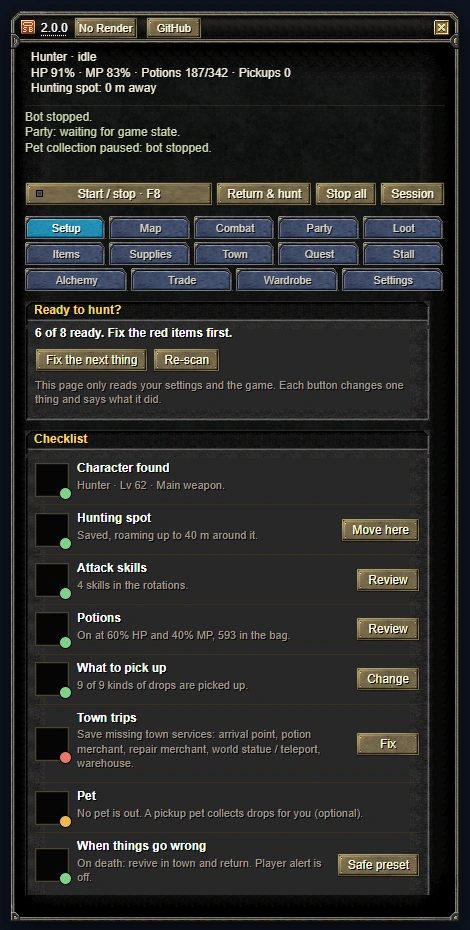
Before you go hunting
The Setup page reads your settings and the game and shows what is missing in red and what is optional in yellow. Fix the next thing jumps to the first red item.
- 8 checks: character and weapon, hunting spot, skills, potions, pickup, town trips, pet, what happens on death.
- It leaves your settings alone until you press a button.
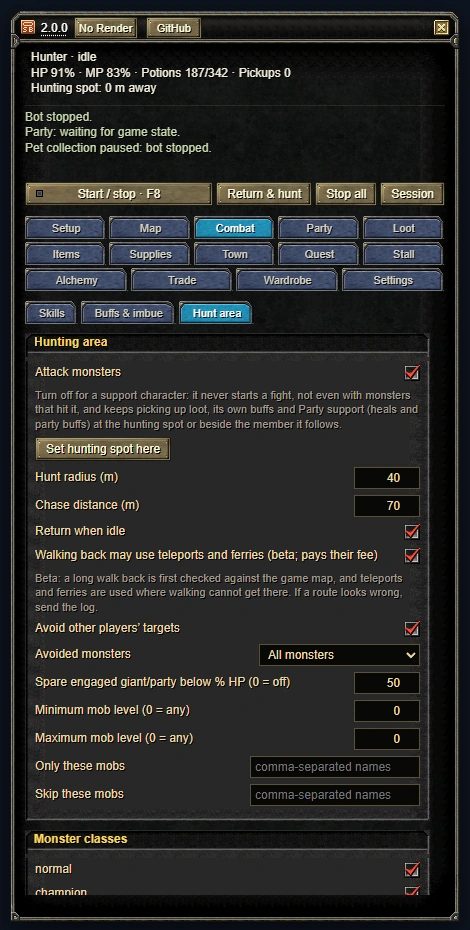
Hunting spot and radius
Save where you stand with Set hunting spot here. The bot hunts around that point.
- Radius, chase distance, lowest and highest monster level.
- Turn monster classes on or off one by one: normal, champion, giant, party and the rest.
- It skips a monster another player has just hit. Your party members do not count.
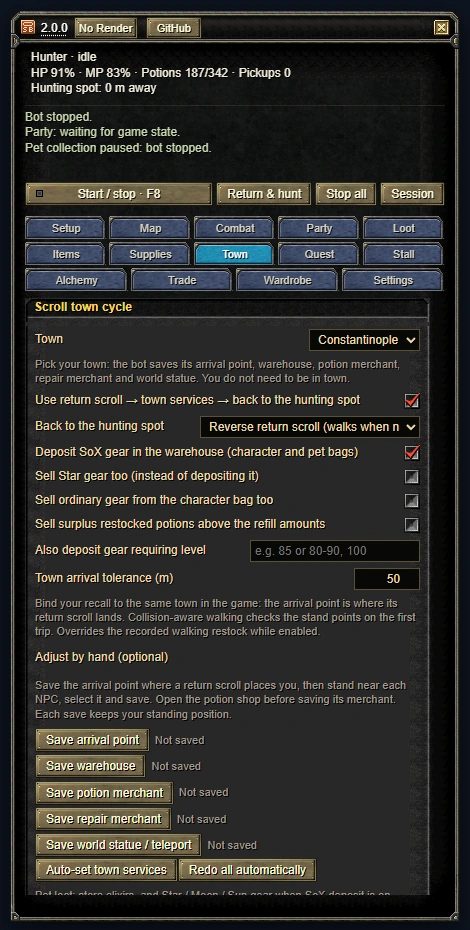
Town trips by return scroll
When the bag is full or potions run low it recalls to town, visits the warehouse, the potion merchant and the repair merchant, then reverses back to the hunting spot.
- Picking Hotan, Jangan, Donwhang, Constantinople or Samarkand in the Town list sets up the town trip. You do not have to be in town.
- SoX gear goes to the warehouse. Selling Star gear is a separate option.
- Without a reverse scroll it walks back to the spot.
- After a death it revives in town, does the services and comes back.
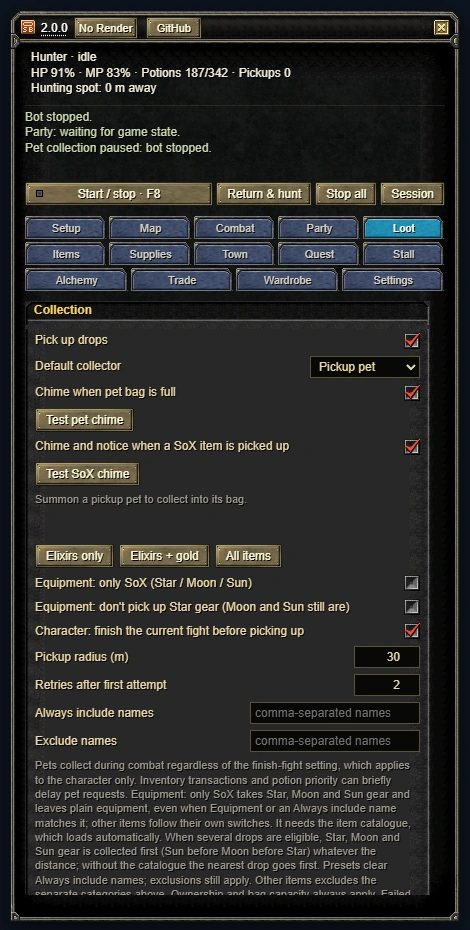
Pet pickup and item rules
The pickup pet collects during fights too. You choose what the pet takes and what the character takes. A SoX pickup plays a short chime.
- Each item gets a rule: Pick, Store, Sell, Keep or Drop.
- The primary weapon, secondary weapon and shield you choose are not sold, stored or dropped.
Keys
- F8 start / stop
- F6 minimise to an icon
- F7 fold the panel
- Shift+F7 hide / show
The other panel pages
Hover over or tap a name to see where it sits in the panel, what triggers it and whether it is on by default.
- Skill order, buffs, imbue. It wears the weapon a buff needs, casts, then goes back to the combat weapon.
Attack rotation
You set it up
- In the panel
- Combat
- Trigger
- A target and a ready skill
- Then
- Next skill; swaps to the weapon a buff needs and back
- Heals, group heals, party buffs and resurrection with Rebirth.
Party support
Off by default
- In the panel
- Party
- Trigger
- A member below Heal below (60%)
- Range
- 30 m, never walks to them
- Gold, potions, equipment, stones: pet, character or leave it, per kind.
Who picks up what
You set it up
- In the panel
- Loot › Who picks up what
- Trigger
- A drop on the ground
- Then
- Pet, character or leave it; the pet also picks up mid-fight
- HP and MP potions, vigor, arrows and bolts, pet kits. A low-stock and a refill number for each.
Restock
You set it up
- In the panel
- Supplies
- Trigger
- Stock at the low number
- Then
- Town trip, tops up to 100 HP and 300 MP potions
- Tries up to the target plus and fuses Luck, Steady, Immortal and Astral stones itself.
Alchemy
Runs on a button
- In the panel
- Alchemy
- Stops
- At the target plus, the attempt limit or out of materials
- Cancel
- Stop alchemy, Stop all or F8
- Spends mastery, skill and stat points in the ratio you set.
Mastery and stats
Off by default
- In the panel
- Settings
- Trigger
- Unspent points
- Then
- One level; the next once confirmed
- Buys specialty goods in one town and walks them to another to sell. Needs a trader suit and a transport.
Auto trade
You set it up
- In the panel
- Trade
- Needs
- A trader suit and a transport
- Always on. After a disconnect it retries for up to 12 hours and never types your password.
Reconnect
Always on
- Trigger
- Connection lost
- Then
- Retries every few seconds, then every 30 seconds
- For
- Up to 12 hours
- Password
- Never typed
- Revives in town and comes back. With no progress it drops the target first, then returns to the spot.
Death and getting stuck
On by default
- In the panel
- Settings › Anti-stuck
- Trigger
- No progress for 3 minutes
- Then
- Drops the target, returns to the spot; stops after 3 tries
- Your other accounts join the main character's party and apply again after a disconnect.
The main account's party
Off by default
- In the panel
- Party
- Trigger
- The character is not in a party
- Then
- Accepts the main character's invite or applies every 20 seconds at most
- Share the settings you changed as a code or a file. Your positions are never in it.
Share settings
Runs on a button
- In the panel
- Settings › Share and import settings
- Import
- Preview import, then Apply import
- Never in it
- Positions, town points, buff sets
- Preview it, copy it or save it to a file. It is not sent anywhere.
Bug report
Runs on a button
- In the panel
- Settings › Send bug report
- Then
- Preview, copy or save to a file
- Upload
- None
OSB Manager
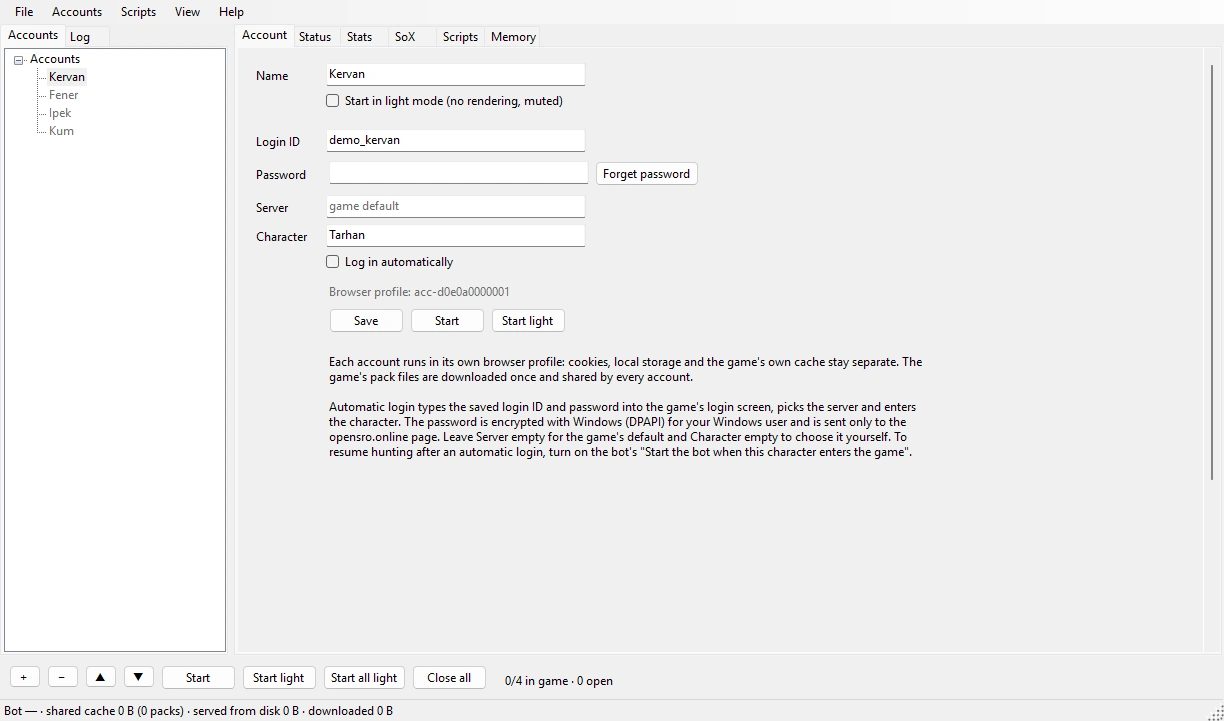
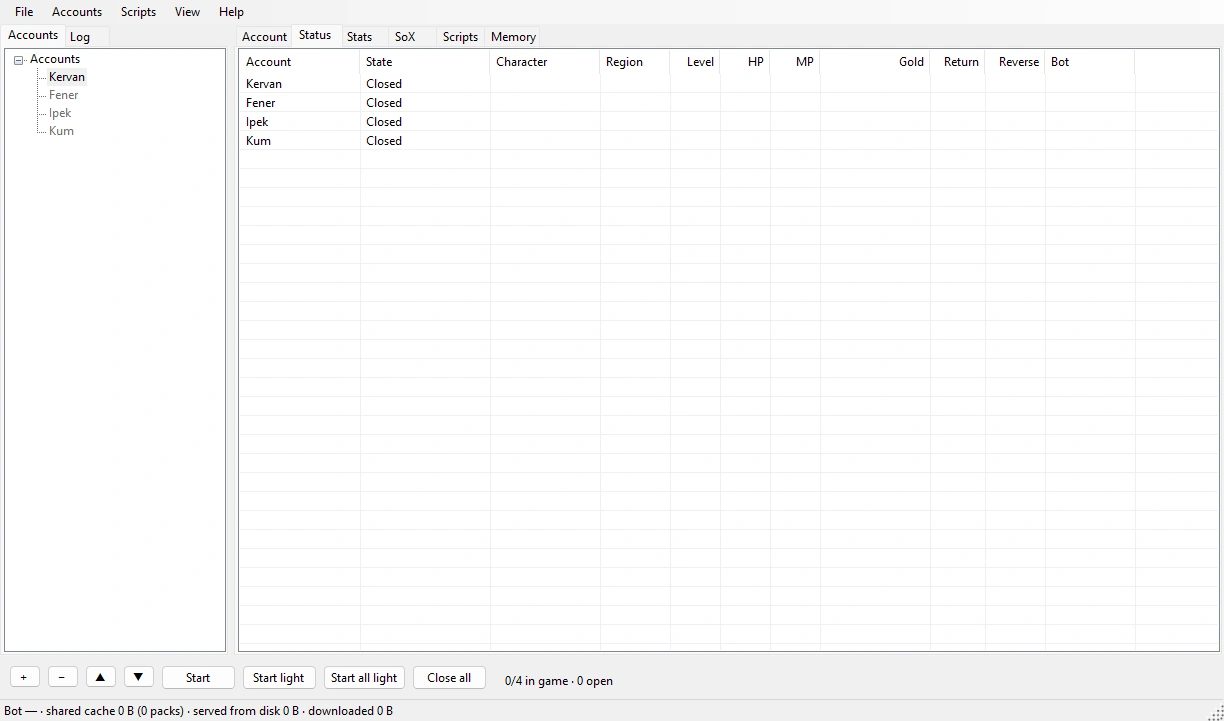
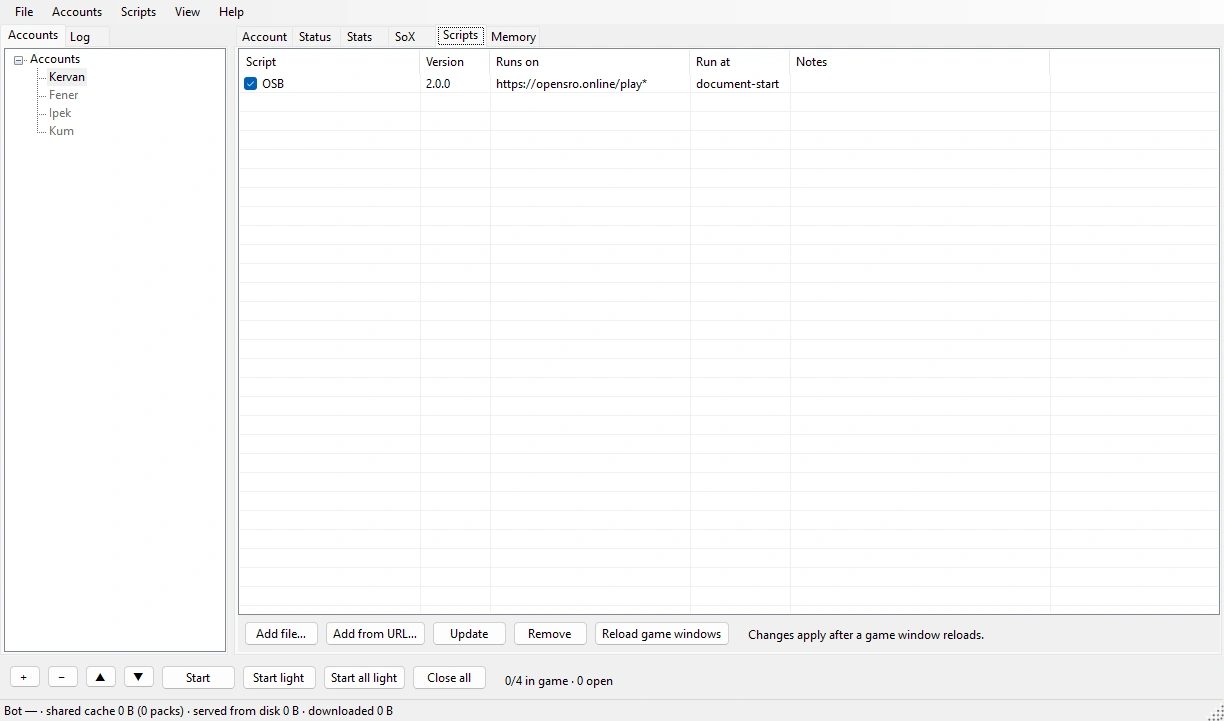
Details and measurementsA desktop app that runs several accounts side by side. Each account opens in its own browser profile, so their sessions stay apart.
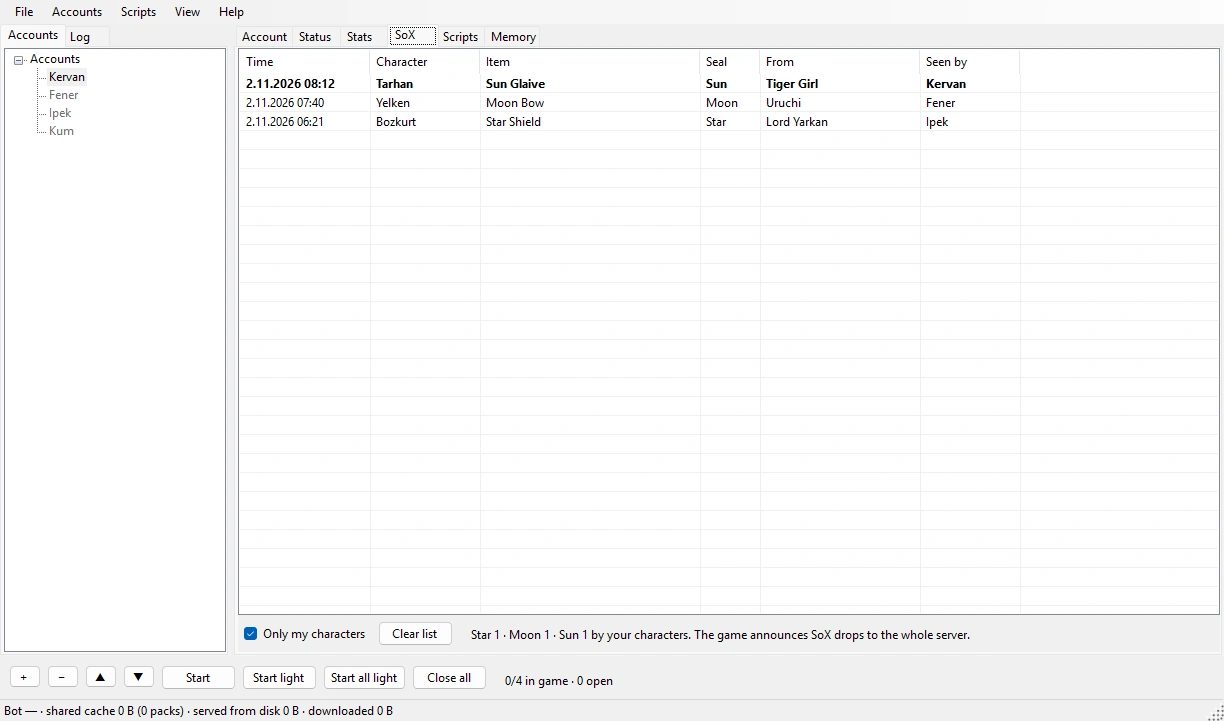
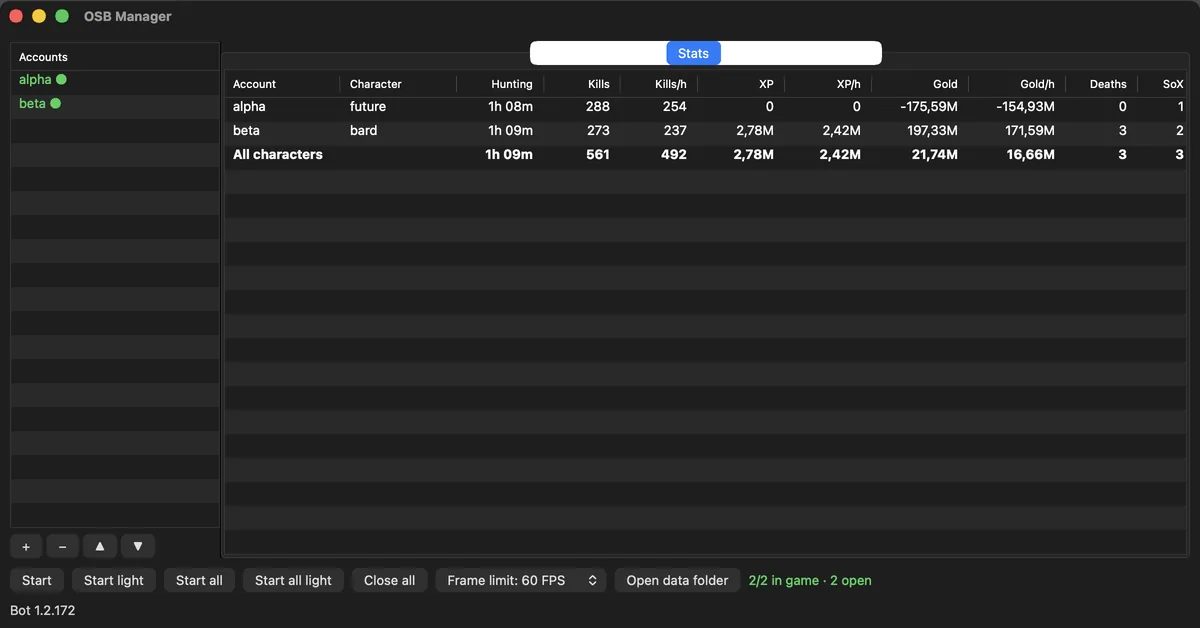
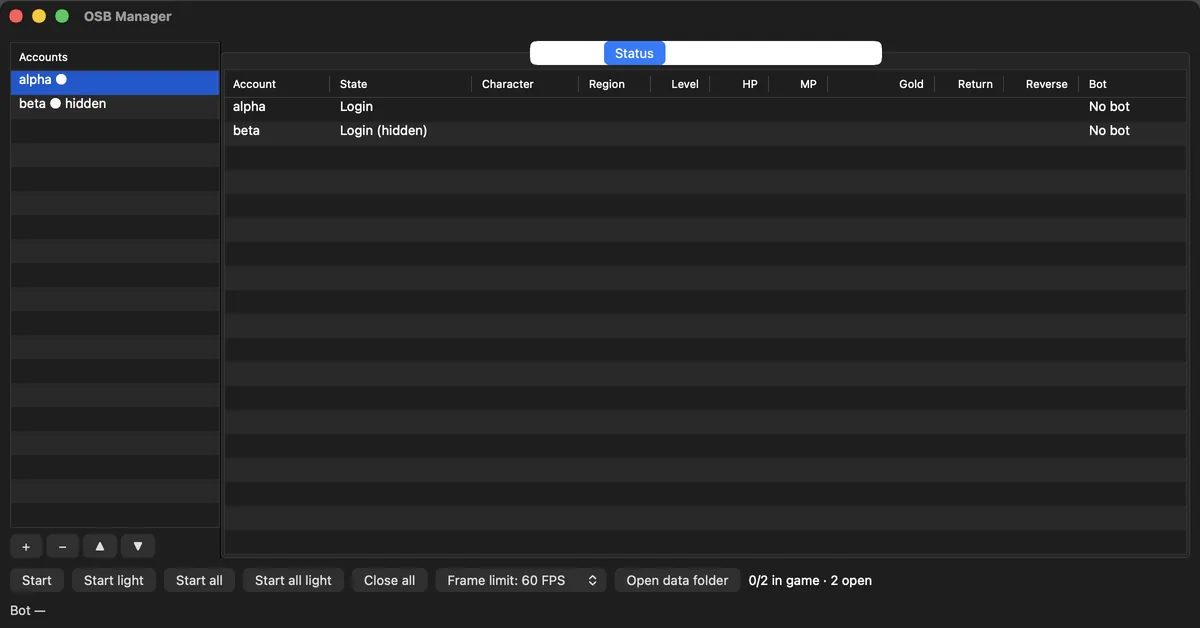
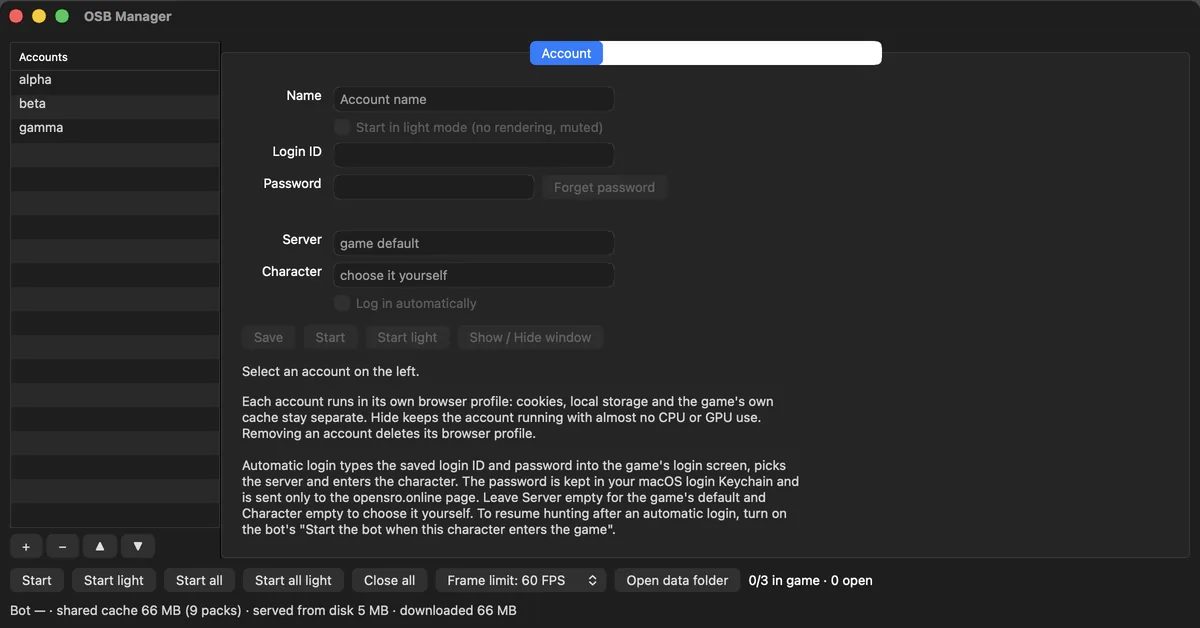
Star, Moon and Sun drops announced on the server land in the SoX tab as one row each. An example row:
| Time | Character | Item | Seal | From | Seen by |
|---|---|---|---|---|---|
| Tarhan | Sealed glaive | Sun | Bandit sergeant | Kervan |
- Auto login
- It goes through the login screen and picks the server and the character. The password is encrypted with DPAPI on Windows and kept in the Keychain on macOS. It is sent at most 3 times in 10 minutes, and only while opensro.online is open.
- Hidden windows
- A hidden account keeps running but draws nothing on screen.
- Light mode
- Stops drawing and mutes the window. Start all light opens the accounts one at a time, 15 seconds apart.
- Stats and SoX
- The Stats tab adds up kills, XP, gold and deaths for every account in one table. The SoX tab lists the Star, Moon and Sun drops announced on the server.
- Shared game files
- The game's pack files are downloaded once and the other accounts read them from the same cache.
- Memory tab (Windows)
- The Memory tab shows how much memory each game window uses. View › Low memory when a window is minimised is off by default: a test with OSB hunting did not show it to be safe.
| What | Result | Where |
|---|---|---|
| One window, 60 FPS limit | 58% of one core; 134% without the limit | Windows, 200 Hz display, title screen |
| Minimised window | 0% CPU | Windows, title screen; the game and the bot keep running |
| Minimised window in the game world, OSB hunting | 45% of one core, 2.4 GB of RAM; visible 196% and 3.2 GB | OSB Manager 1.0.0, Windows, one account, mean of 20 minutes each |
| One account in the game world, light mode | Hidden 0.50 cores; visible 0.59 | OSB Manager 1.0.0, macOS, M1 MacBook Pro |
| Second account reaching the login screen | 10.8–14.0 s; 18.8–24.1 s without the cache | Shared cache on, macOS 26.5, M1 MacBook Pro |
Each row was measured on one machine; yours may differ. All measurements and their conditions

Install
Step-by-step installFor one account, Tampermonkey in your browser is enough. For several accounts, install OSB Manager on Windows or on a Mac.
Download
Get the Windows zip from GitHub, unzip it and start OsbManager.exe. 64-bit Windows 10 and 11.
WindowsSmartScreen
For an unsigned build, press More info, then Run anyway.
WebView2
Windows 11 has it. On Windows 10, install the WebView2 Runtime from Microsoft if it is missing.
Add accounts and OSB
Add an account with +, then paste the OSB address in Scripts › Add from URL….
Download
Get the macOS zip, open it and move the app to Applications. Apple Silicon, macOS 26 or later.
macOSFirst launch
Press Open Anyway in System Settings › Privacy & Security.
Add accounts and OSB
Add an account with +, then paste the OSB address in Scripts › Add from URL….
Keychain
If macOS asks once after an update, press Always Allow.
Install the extension
Tampermonkey or Violentmonkey. In Safari, the Userscripts app.
Turn off the old bot
Turn off any other OpenSRO bot. Your settings carry over.
Reload the game
Setup shows what is missing; press F8 when it is all ready.
Guides
All guidesEach guide covers one page of the panel with real screenshots.




Frequently asked
All questionsI'm moving from the previous bot. What happens to my settings?
They carry over as they are. Share codes and backup files from the previous bot open in OSB too.
Turn off the old script first: two bots cannot run in one tab.
Does it cost anything?
No. Both are open source: OSB under GPL-2.0-or-later, OSB Manager under GPL-3.0. All of the code is on GitHub.
How many accounts can my PC run?
There is no fixed limit; the CPU and graphics memory decide.
On macOS with 1.0.0, one account in the game world used 0.50 cores hidden and in light mode. On Windows, the 60 FPS limit took one window on the title screen from 134% to 58% of a core. With OSB hunting, minimising the window took it from 196% to 45% of a core and from 3.2 GB to 2.4 GB of RAM. Each window also holds about 0.8 GB of graphics memory; light mode and minimising do not free it.
Does OSB send data anywhere?
No. It sends nothing to us or to anyone else. It only fetches updates and route data from raw.githubusercontent.com and api.github.com.
Even the bug report is not uploaded: you preview it, copy it or save it as a file.
Where does the Manager keep my password?
On Windows it is encrypted with DPAPI; only your Windows user can decrypt it, and not on another PC. On macOS it is in the Keychain.
The password is sent only while the window shows https://opensro.online/ and the page asks for it. It is never written to the log.
Support and feedback
If something broke
- In the panel, press Settings › Send bug report.
- Preview the report, then copy it or save it as a file. The report is not sent anywhere on its own.
- Open a new issue on GitHub and attach the report.
If a setting is missing or confusing
Tell us which page and which setting in the form on the support page.
Support page